
Understanding the Hippo in CAD Design
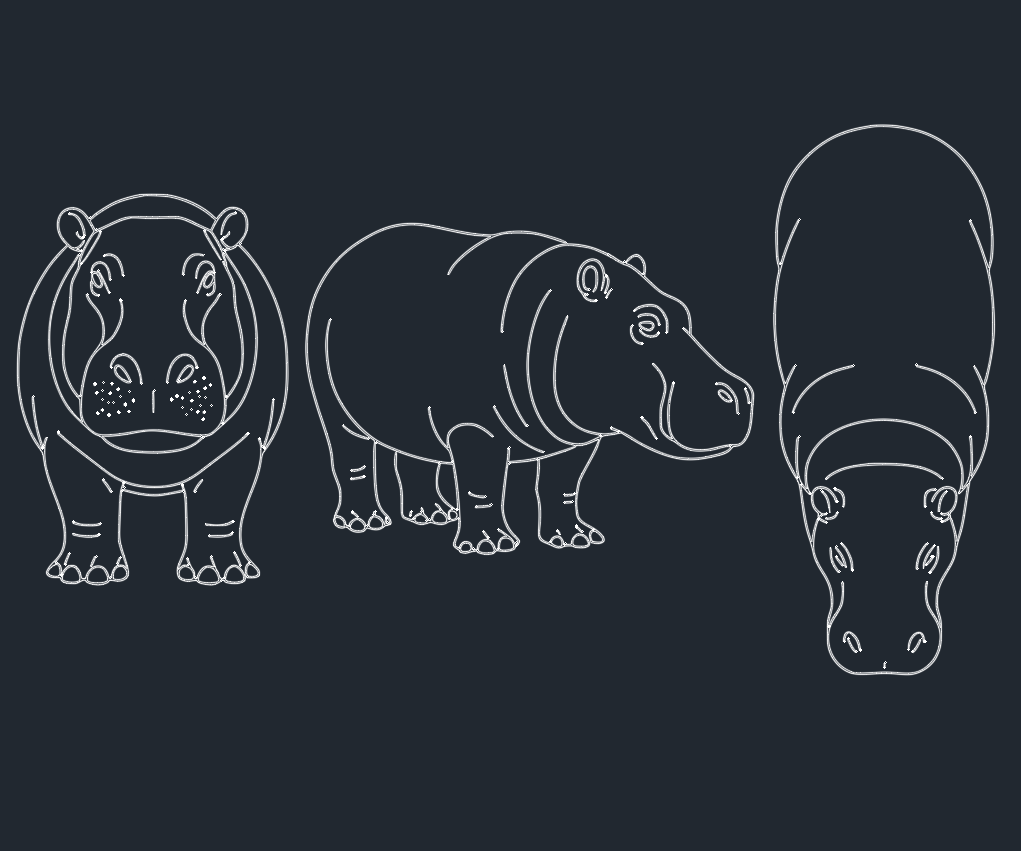
In the realm of AutoCAD libraries and DWG resources, a “hippo” usually refers to the detailed digital drawing or 3D model representation of the Hippopotamus amphibius. While not a common fixture in every architectural or engineering project, hippo CAD blocks and DWG models are essential for professionals seeking accuracy and realism in zoo design, landscape architecture, environmental planning, and themed entertainment projects.
Why Use Hippo DWG Blocks in Your Projects?
Enhancing Realism and Context
Integrating hippo DWG blocks into your CAD designs adds authenticity, especially when visualizing animal habitats, safari parks, zoos, or educational exhibits. Accurate hippo models help convey the scale and spatial needs of these large mammals, influencing enclosure design, visitor flow, and landscape planning.
Saving Time with Ready-Made Hippo CAD Blocks
Creating a hippo model from scratch in AutoCAD can be time-consuming. Downloadable hippo blocks or DWG files streamline the process, allowing engineers, architects, and designers to focus on broader project aspects. Reputable CAD libraries offer hippo blocks in various views (top, side) and file formats, increasing flexibility and compatibility.
Key Features of Quality Hippo CAD Blocks
Accurate Dimensions and Proportions
A professional hippo DWG file should reflect the true physical proportions of the animal, typically around 3.5–5 meters in length and up to 1.6 meters in height. This precision ensures that enclosure designs meet safety and welfare standards for both animals and visitors.
Multiple Views and Levels of Detail
Look for hippo AutoCAD blocks with multiple views: plan, elevation, and section. For advanced visualization, 3D hippo CAD models provide a lifelike representation, essential for rendering and walkthroughs.
Layer Organization and Clean Geometry
Well-structured hippo DWG files use distinct layers for outlines, hatches, and reference points. Clean, optimized geometry minimizes file size and ensures efficient performance when integrated into larger site plans or architectural drawings.
Applications of Hippo DWG Files
Zoo and Wildlife Park Design
Engineers and architects use hippo CAD blocks to design immersive, safe habitats. Accurate models help plan water features, barriers, and visitor viewing areas, enhancing animal welfare and educational value.
Landscape Architecture and Environmental Planning
In landscape CAD projects, hippo DWG files assist in simulating natural habitats within large parks or conservation areas, ensuring ecological and spatial accuracy.
Themed Entertainment and Educational Exhibits
Theme parks and museums incorporate hippo CAD blocks to create interactive displays and educational graphics, blending technical precision with engaging storytelling.
Best Practices for Using Hippo CAD Blocks
Check File Compatibility
Before integrating a hippo DWG file, verify compatibility with your AutoCAD version. Many libraries offer files in DWG, DXF, and even BIM-compatible formats.
Maintain Layer Standards
When importing hippo CAD blocks, align layer names and properties with your project’s CAD standards. This practice ensures seamless collaboration and prevents drawing errors.
Optimize for Performance
Use lightweight 2D hippo blocks for master plans only where necessary. This approach balances visual detail with drawing performance, especially in large-scale site plans.
Where to Find High-Quality Hippo DWG Files
Numerous online CAD libraries specialize in animal blocks, offering free and premium hippo DWG downloads. Prioritize sources that provide:
– Verified dimensions and technical accuracy
– Multiple file formats (DWG, DXF, 3DS)
– Clear usage licenses for commercial projects
Conclusion
The hippo, though an unconventional subject in many CAD projects, plays a vital role in specialized architectural and engineering applications. By utilizing precise hippo DWG blocks and AutoCAD models, professionals can create more accurate, efficient, and visually engaging designs. For the best results, choose reputable libraries, adhere to CAD standards, and select the appropriate level of detail for your specific needs. Incorporate hippo CAD blocks into your workflow to elevate the realism and technical quality of your next project.
Leave a Reply
You must be logged in to post a comment.