Introduction to Crocodile CAD Blocks
Crocodiles are distinctive reptiles often required in architectural, landscape, and engineering visualizations, particularly for educational projects, zoos, or wildlife park designs. Incorporating high-quality crocodile CAD blocks into your DWG library enhances the realism and visual appeal of your design presentations. This micro post explores the technical aspects and best practices for utilizing crocodile CAD blocks in AutoCAD projects, providing valuable insights for engineers, CAD designers, and architects.
Importance of Crocodile DWG Files in Design Projects
Crocodile DWG files are essential resources for professionals seeking to enrich their design libraries. These blocks are commonly used in:
– Landscape Architecture: Illustrating wildlife areas, riverbanks, or themed parks.
– Educational Projects: Enhancing biology labs, museums, or zoos with realistic animal representations.
– Environmental Engineering: Simulating habitats or conducting site analysis involving biodiversity.
By integrating accurate crocodile CAD blocks, designers ensure their projects reflect both technical precision and aesthetic value.
Key Features of High-Quality Crocodile CAD Blocks
When sourcing or creating crocodile blocks for AutoCAD, certain features are crucial:
1. Detailed Representation
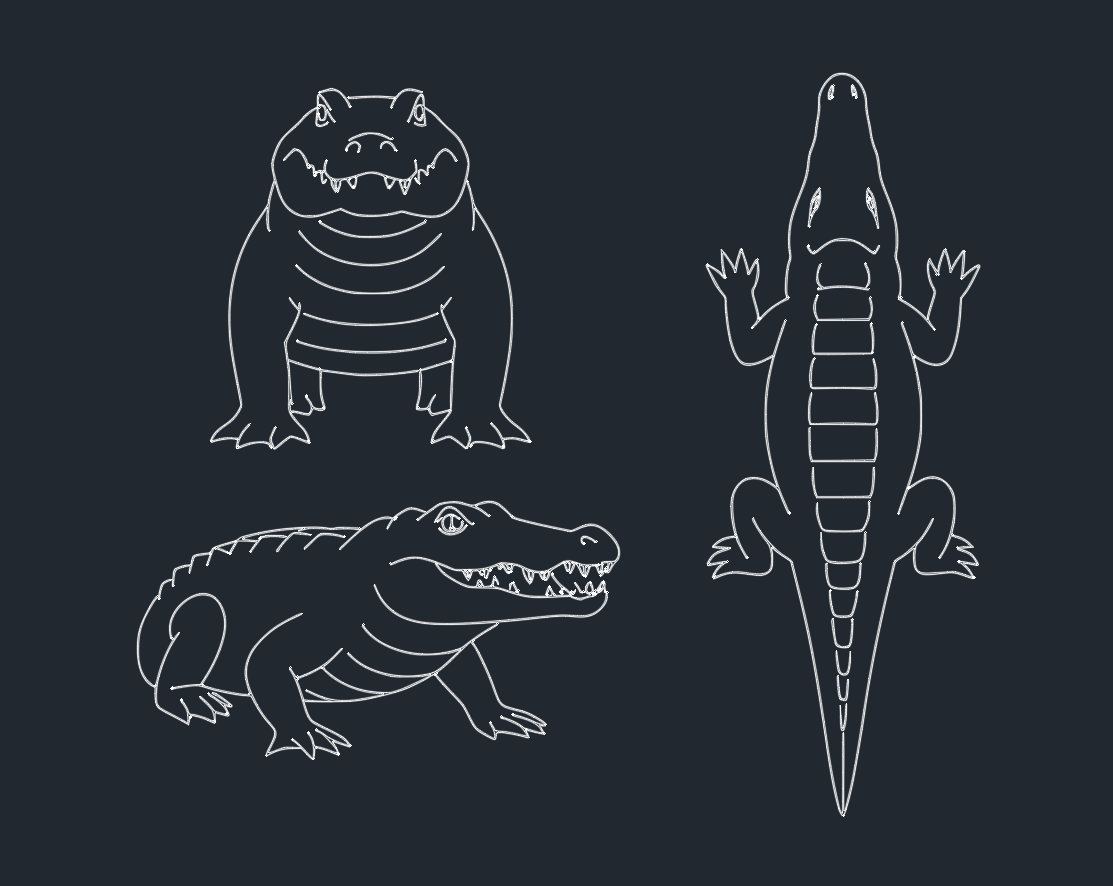
A well-drawn crocodile block should capture anatomical features such as the elongated jaw, scaly hide, and powerful tail. Consistent scale and proportion are essential to maintain realism and compatibility with other design elements.
2. Multiple Views
Professional crocodile DWG files often include:
– Top View: Useful for site plans and landscape layouts.
– Side Elevation: Ideal for sections or elevation drawings.
3. Layer Management
Efficient crocodile CAD blocks utilize organized layers for features such as outlines, hatches, and annotations. Proper layering allows for easy customization, visibility control, and seamless integration into larger drawings.
Best Practices for Using Crocodile Blocks in AutoCAD
To maximize the utility of crocodile CAD blocks, follow these best practices:
1. Maintain Standard Units
Ensure that the crocodile DWG files use standard drawing units (meters or feet) to facilitate accurate scaling within your project.
2. Optimize Block Insertion
Use the block insertion tools in AutoCAD to place crocodile symbols precisely. Take advantage of attributes like rotation and scaling to fit the animal naturally into the landscape or plan.
3. Layer Coordination
Assign crocodile blocks to dedicated layers (e.g., “Wildlife” or “Fauna”) for better organization and control during the design process.
4. File Compatibility
Check that your crocodile CAD blocks are compatible with various versions of AutoCAD and other popular CAD software, ensuring seamless collaboration and sharing.
Where to Find Quality Crocodile DWG Downloads
There are several reputable websites and DWG libraries offering free or premium crocodile CAD blocks. When downloading, verify:
– File Format: Ensure files are in DWG or a compatible CAD format.
– Detail Level: Choose blocks that match the detail required for your project.
– Licensing: Confirm usage rights for commercial, educational, or personal projects.
Conclusion
Crocodile CAD blocks are valuable additions to any engineer’s, architect’s, or designer’s DWG library. They provide realistic, scalable, and technically accurate representations for a wide range of projects. By focusing on detail, compatibility, and proper layer management, professionals can effectively utilize crocodile blocks to enhance their AutoCAD designs. For the most efficient workflow, always source high-quality, well-documented crocodile DWG files from trusted libraries.
Leave a Reply
You must be logged in to post a comment.