
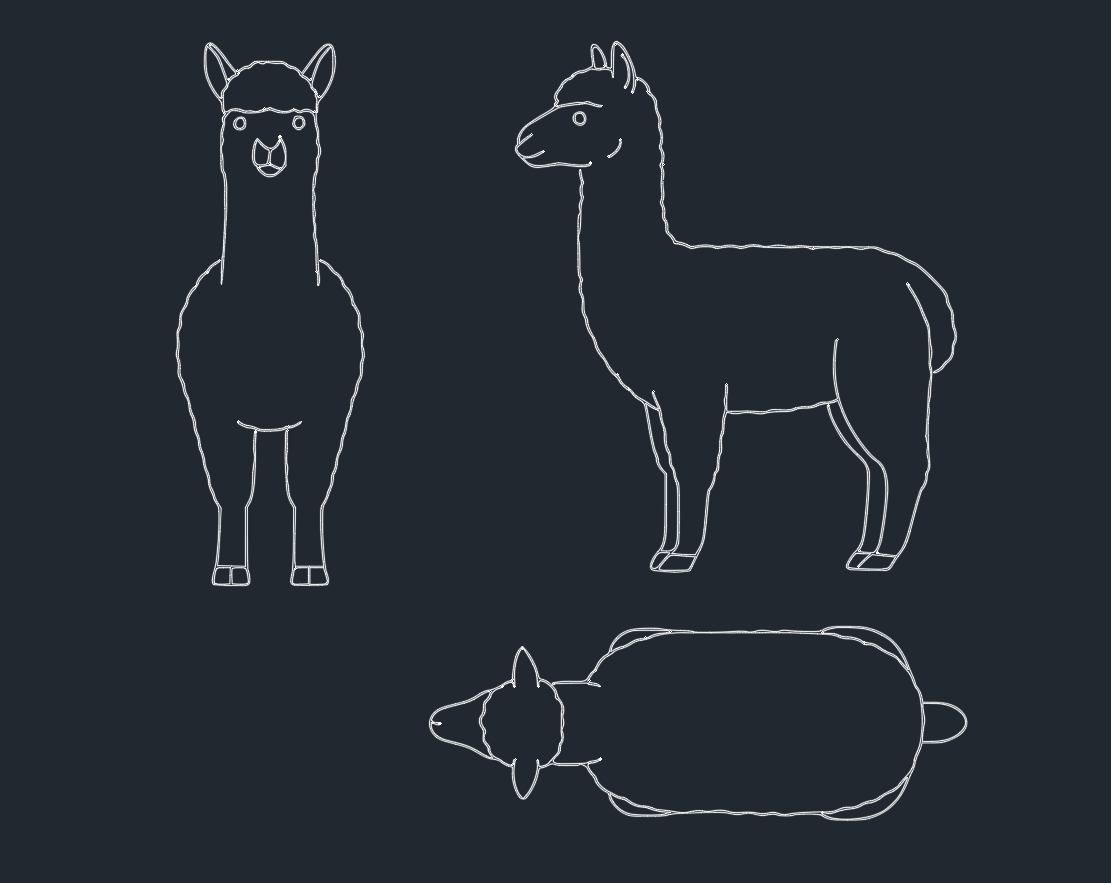
Introduction to Alpaca in CAD Design
Alpacas are domesticated South American camelids, widely recognized for their soft fleece and gentle disposition. In the realm of CAD design and architectural planning, incorporating accurate representations of animals like alpacas can significantly enhance project presentations, especially in landscape architecture, zoo design, and educational environments. Utilizing detailed alpaca DWG blocks not only improves visual communication but also streamlines the design process for engineers and architects.
The Importance of Alpaca CAD Blocks
For engineers, architects, and CAD designers, having access to high-quality alpaca DWG files is essential for several reasons:
– Realistic Visualization: Including alpaca blocks in site plans helps clients and stakeholders visualize how animals interact within designed spaces.
– Efficiency: Ready-to-use alpaca CAD blocks save time in the drafting phase, allowing designers to focus on core architectural or engineering challenges.
– Standardization: Consistent use of standardized alpaca symbols ensures clarity and uniformity across large projects or multiple design teams.
Features of High-Quality Alpaca DWG Files
When searching for alpaca CAD blocks, professionals should prioritize files with the following characteristics:
1. Accurate Scaling
Alpaca DWG files should be created at a 1:1 scale, allowing seamless integration into any drawing without requiring manual adjustments. Scaled blocks prevent errors in spatial planning and maintain proportionate design elements.
2. Detailed Linework
A good alpaca CAD block features clean, precise linework that clearly differentiates body parts (such as neck, legs, and ears). This improves the block’s readability at various zoom levels and when printed on technical drawings.
3. Layer Management
Advanced alpaca DWG files use organized layers for different block components (outline, fill, hatch, etc.), enabling engineers and CAD designers to customize visibility and rendering based on project requirements.
4. Compatibility
Alpaca CAD blocks should be compatible with major CAD software, including AutoCAD, DraftSight, BricsCAD, and others. File formats like .dwg and .dxf ensure broad usability.
Applications of Alpaca CAD Blocks
Landscape Architecture
In landscape design, alpaca blocks are used to represent livestock in farmstead layouts, eco-parks, and petting zoo concepts. They help visualize animal enclosures, grazing zones, and visitor pathways.
Educational Facilities
Accurate alpaca CAD drawings are valuable for planning educational farms, biology labs, and interactive exhibits. They provide students and visitors with a realistic sense of scale and spatial arrangement.
Zoo and Sanctuary Design
Engineers and architects designing animal sanctuaries or zoos frequently incorporate alpaca DWG files to detail living spaces, movement corridors, and visitor observation points within master plans.
How to Download and Use Alpaca DWG Files
Many reputable DWG library websites offer free and premium alpaca CAD blocks. To integrate an alpaca block:
1. Download the DWG or DXF file from your preferred CAD library.
2. Insert the block into your project using the “Insert” or “Block” command in AutoCAD or your chosen software.
3. Adjust position, orientation, or scaling as needed, ensuring it fits within the design context.
4. Assign layers and attributes for improved project organization and future edits.
Always verify the source for copyright compliance and professional quality standards before utilizing any CAD block in commercial projects.
Conclusion
Incorporating precise alpaca CAD blocks into engineering and architectural projects enhances both technical accuracy and presentation quality. By leveraging high-quality alpaca DWG files, professionals streamline their workflows and deliver more engaging, realistic designs. Always ensure your CAD libraries are up-to-date with detailed, scalable animal blocks to meet diverse project needs in AutoCAD and other CAD platforms.
Leave a Reply
You must be logged in to post a comment.