
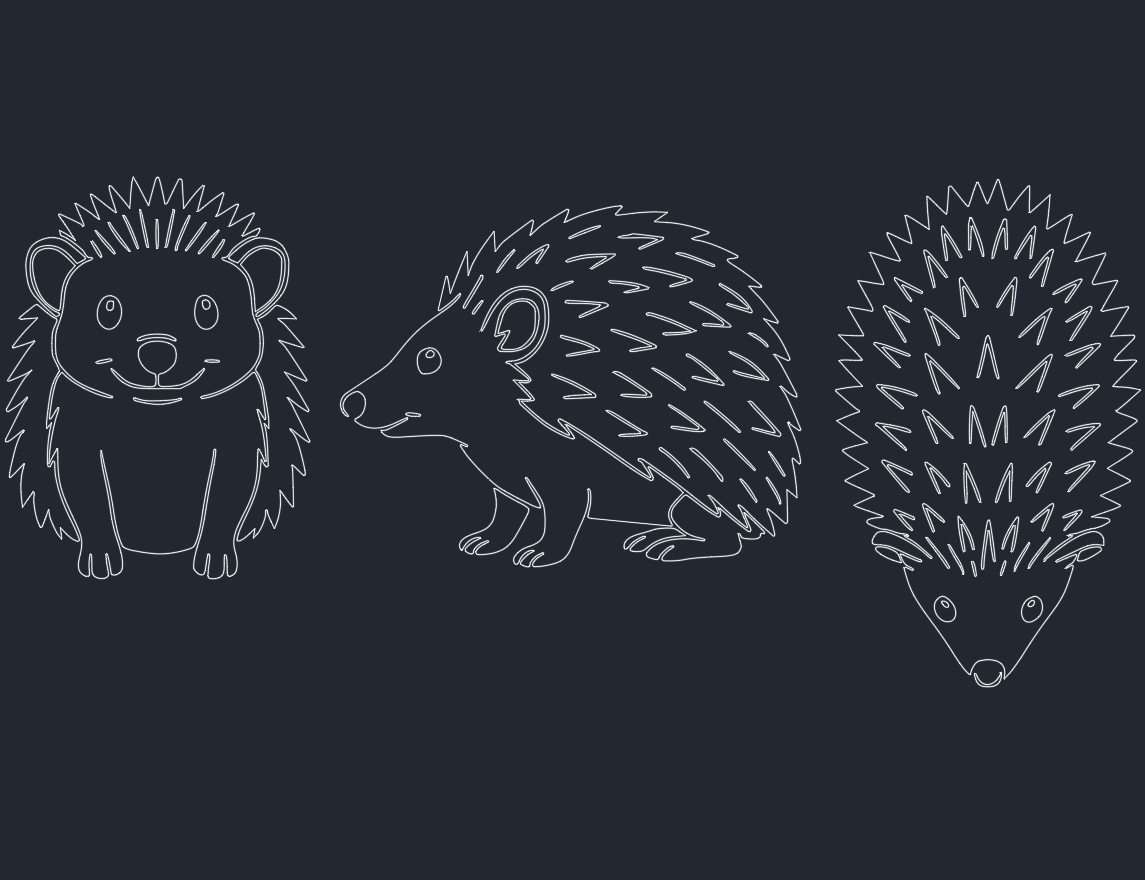
Introduction to Hedgehog CAD Blocks
In the world of CAD design, incorporating detailed and accurate representations of flora and fauna enhances the realism and functionality of architectural, landscaping, and urban planning projects. Among the diverse range of animal symbols, the hedgehog CAD block stands out for its versatility in both natural and educational environments. This micro post explores the technical aspects, applications, and best practices for using hedgehog DWG files in your AutoCAD projects.
Why Use Hedgehog CAD Blocks?
Hedgehog CAD blocks are essential components for landscape architects, urban planners, and designers aiming to create engaging outdoor environments. By integrating hedgehog symbols into your AutoCAD drawings, you can:
– Illustrate wildlife habitats in parks and gardens.
– Enhance environmental education projects or zoo layouts.
– Add visual interest to children’s play areas or themed spaces.
– Support biodiversity mapping and ecological studies.
Using a high-quality hedgehog DWG file ensures that your CAD drawings are both visually appealing and technically accurate, meeting the requirements of clients who value ecological authenticity.
Technical Specifications of Hedgehog DWG Files
When selecting a hedgehog CAD block, consider the following technical criteria to ensure compatibility and usability:
1. File Format and Compatibility
Most hedgehog blocks are available in standard DWG and DXF formats, widely supported by AutoCAD and other leading CAD software. Ensure your chosen block is compatible with your specific software version and project requirements.
2. Level of Detail
For architectural and landscape projects, the level of detail in your hedgehog CAD block should match the drawing scale. Options range from simple silhouettes for site plans to detailed line drawings for close-up views. Some libraries also offer hedgehog blocks with hatching or shading for presentation drawings.
3. Layer Management
Professional hedgehog DWG files are organized using CAD layers, allowing you to control visibility, color, and line weight. This is crucial for maintaining clarity in complex drawings and facilitating efficient editing.
4. Scalability and Orientation
A well-designed hedgehog CAD block should be easily scalable and rotatable, ensuring it integrates seamlessly into various layouts without loss of quality or accuracy.
Applications of Hedgehog CAD Blocks
Landscape Architecture
Hedgehog blocks are commonly used in park and garden design to indicate potential wildlife zones or create interactive educational signage. Their inclusion promotes awareness of local fauna and supports sustainable design principles.
Urban and Environmental Planning
Engineers and planners use hedgehog symbols in CAD drawings to mark protected habitats or delineate ecological corridors. These blocks serve as visual cues for contractors and stakeholders, ensuring compliance with environmental regulations.
Educational and Recreational Spaces
For architects designing schools, playgrounds, or nature centers, hedgehog CAD blocks provide engaging decorative elements. They can be incorporated into themed pathways, signage, and activity areas, enhancing both aesthetics and educational value.
Best Practices for Using Hedgehog CAD Blocks
– Standardization: Use consistent block styles across your drawings to maintain visual coherence and professional standards.
– Layer Control: Assign hedgehog blocks to dedicated layers to simplify editing and improve drawing management.
– Annotation: Include clear labels or legends to describe the hedgehog symbol’s purpose, especially in technical site plans.
– File Optimization: Regularly audit your DWG files to remove unused blocks and reduce file size, ensuring efficient performance.
Downloading Hedgehog DWG Files
Numerous online DWG libraries offer free and premium hedgehog CAD blocks. When downloading, verify that the files are:
– Virus-free and from reputable sources.
– Provided with clear licensing terms for commercial or personal use.
– Compatible with your version of AutoCAD or preferred CAD software.
Conclusion
Integrating hedgehog CAD blocks into your AutoCAD projects adds both technical precision and creative flair to your designs. Whether you are an engineer, CAD designer, or architect, leveraging high-quality hedgehog DWG files supports biodiversity, enhances visual storytelling, and meets the evolving demands of modern landscape and architectural design.
Explore our DWG library for professionally crafted hedgehog CAD blocks, and elevate your next project with accurate, scalable, and visually engaging wildlife symbols.
Leave a Reply
You must be logged in to post a comment.