
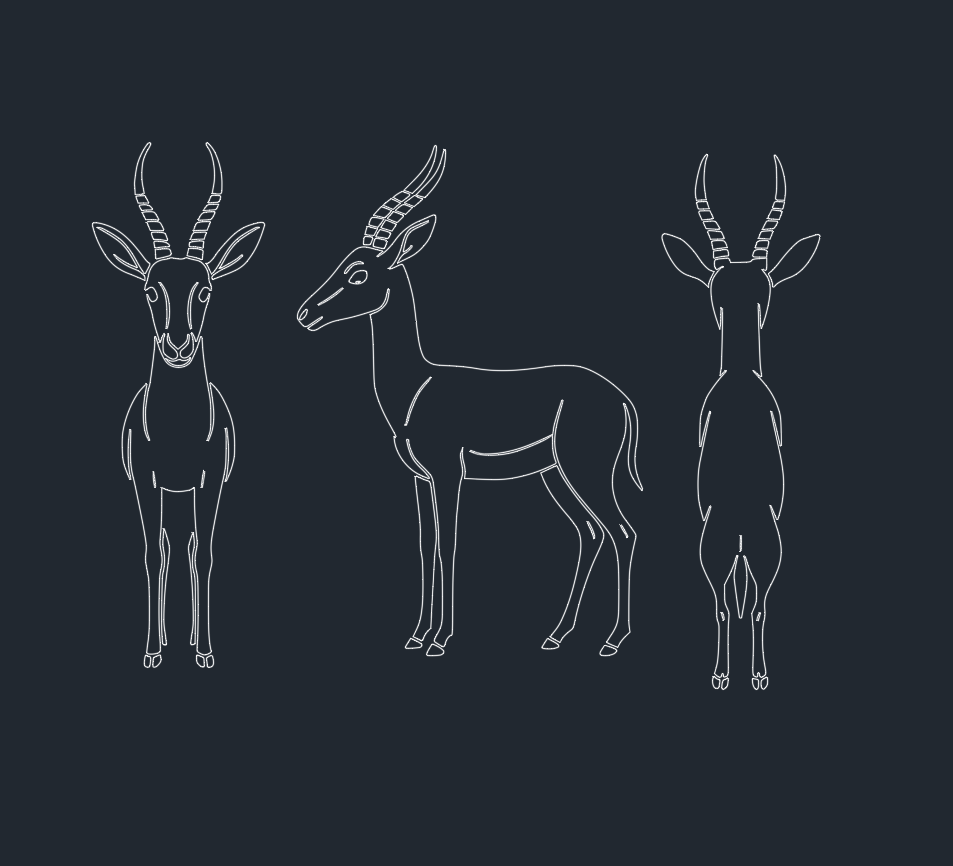
Understanding Gazelles: Essential Information for CAD Designers and Engineers
Gazelles are integral to numerous engineering, architectural, and design projects that require accurate depictions of wildlife for landscape planning, ecological modeling, and themed environments. This micro post delivers a technical overview of gazelles, their characteristics, and how to efficiently incorporate gazelle models into your AutoCAD and DWG library workflows.
—
What Are Gazelles?
Gazelles are slender, swift antelopes found primarily in Africa and Asia. Characterized by their lightweight physique, distinctive horns, and agile movement, gazelles are often featured in wildlife reserves, landscape architecture, and educational exhibits. Their presence in a CAD model can add realism and ecological context to outdoor or naturalistic projects.
Key Characteristics of Gazelles:
– Size: Gazelles typically range from 60 cm to 110 cm at the shoulder.
– Weight: Most species weigh between 15 to 35 kg.
– Horns: Both males and females usually have ringed, curved horns.
– Habitat: Open plains, savannahs, and grasslands.
– Behavior: Known for their speed and jumping ability—up to 97 km/h in short bursts.
—
Why Include Gazelles in CAD and DWG Projects?
Incorporating gazelles into your AutoCAD or DWG library enhances the detail and authenticity of your designs. Whether for environmental impact assessments, zoo layouts, or natural park visualizations, accurate gazelle representations ensure your projects meet client and regulatory requirements.
Applications:
– Landscape Architecture: For visualizing animal populations in parks and reserves.
– Ecological Simulations: Modeling wildlife corridors and biodiversity.
– Themed Entertainment: Designing realistic habitats for zoos or museums.
—
Optimizing Gazelle DWG Blocks for Project Efficiency
Efficient use of gazelle DWG blocks is essential for streamlined drafting and rendering. When selecting or creating a gazelle DWG file, consider the following:
1. Scalability and Detail
Choose blocks with scalable vector geometry to maintain fidelity at various zoom levels. Look for models that balance polygon count with detail for optimal performance.
2. Layering and Annotation
Organize gazelle elements on dedicated layers (e.g., “WILDLIFE_GAZELLE”) to simplify visibility control. Add attribute tags for species, scale, and orientation to facilitate future edits.
3. File Format Compatibility
Ensure your gazelle DWG files are compatible with your AutoCAD version and other design software. Consider exporting to DXF for cross-platform use.
—
Best Practices for Gazelle Representation in CAD Models
Accurate Placement
Place gazelle blocks according to real-world spacing and herd behavior. Reference ecological data to determine appropriate population density within your model.
Orientation and Context
Orient gazelles naturally within the landscape. Use varied poses—standing, grazing, running—to enhance realism. Incorporate contextual elements such as trees, water sources, or terrain features.
Rendering and Visualization
For presentations or client reviews, apply realistic materials and textures to gazelle models. Use photorealistic rendering engines or lightweight stylized symbols depending on project requirements.
—
Download High-Quality Gazelle DWG Files
Many AutoCAD and DWG library websites offer gazelle blocks in multiple formats and levels of detail. When downloading, verify:
– Licensing terms for commercial use
– Compatibility with your software version
– Presence of metadata for easy cataloging
—
Conclusion
Gazelles are more than just aesthetic additions; they provide crucial context for engineers, CAD designers, and architects working on projects that intersect with wildlife and natural environments. By leveraging optimized gazelle DWG blocks, professionals can enhance the accuracy, realism, and ecological impact of their CAD designs. Ensure your gazelle representations are detailed, scalable, and contextually appropriate for the best project outcomes.
Leave a Reply
You must be logged in to post a comment.