Introduction
Looking for a realistic Rhino AutoCAD DWG drawing to use in your architectural or landscape design?
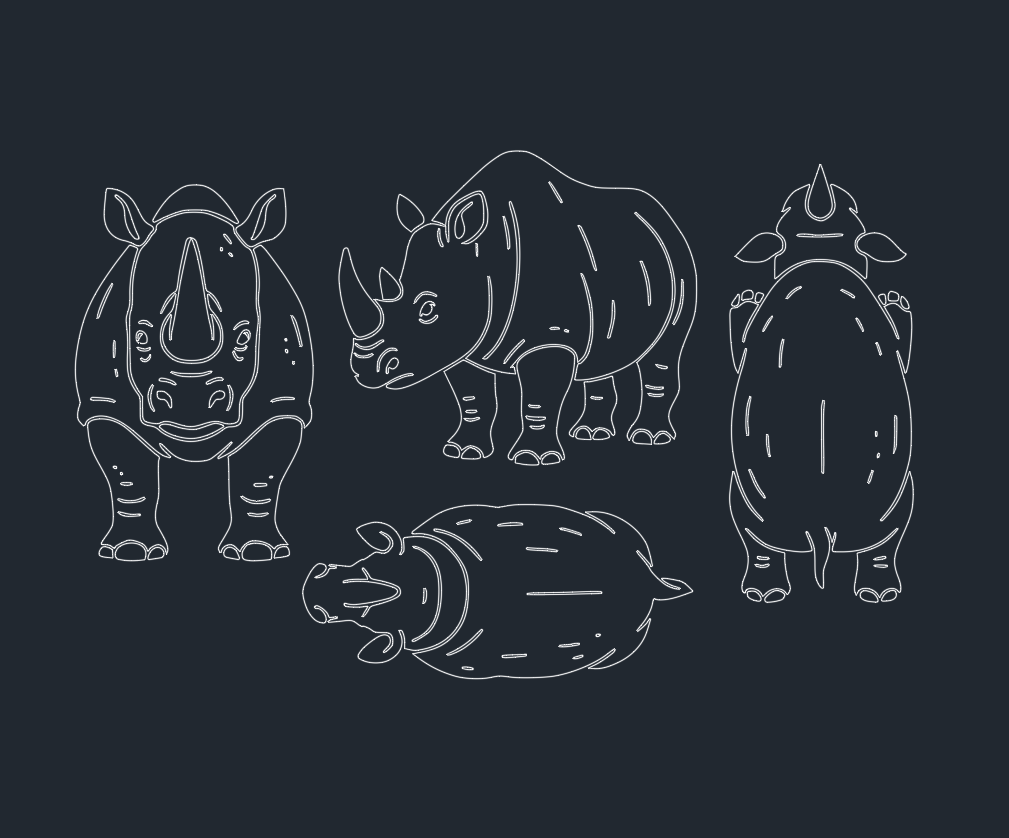
This free CAD block includes plan, side, and front elevation views of a rhinoceros, drawn with clean, editable linework.
Ideal for wildlife park layouts, educational projects, or outdoor concept renderings, this block helps you add a natural touch to your drawings.
1. Rhino Drawing Details
| Feature | Description |
|---|---|
| File Format | DWG (AutoCAD 2007 and later) |
| Views Included | Plan View, Side Elevation, Front View |
| Category | Animals / Wildlife / Landscape |
| Units | Millimeters (1:1 scale) |
| Compatibility | AutoCAD, DraftSight, BricsCAD, GstarCAD |
2. How to Use the Rhino DWG Block
-
Download the DWG file (link below).
-
Open AutoCAD and type
INSERT. -
Choose the Rhino DWG file.
-
Click to place the block in your drawing.
-
Adjust scale, rotation, or layer color as desired.
💡 For visual effect, you can use
HATCHorGRADIENTfills to shade the rhino outline in gray tones.
3. Applications
-
🏛 Architectural renderings (zoo, safari park, museum layouts)
-
🌳 Landscape plans for natural or educational spaces
-
📐 Educational illustrations in CAD or design reports
-
🦓 Animal symbol library for wildlife design collections
-
🎨 concept drawings in Rhino, AutoCAD, or SketchUp imports
Leave a Reply
You must be logged in to post a comment.